English / Deutsch : The PICTURE APPLICATION IS FOR SALE
Picture for TETRA Application is a unique Solution for Cassidian Tetra Radios.
Use this Application to send JPEG Pictures over the Air to an ISSI or a GSSI Number.
The Pictuee for Directmode Application PIC4DMO is sending Characters 140 Charcaters per Message. The Picture for Trunked Mode PIC4TMO Application sends up to 280 Characters per concatenated Message. We can adjust the Amount per Message according to what your Tetra Network supports because it is for us just a Value in our Java . So the Picture Transmission Transfer Time depends on your Situation.
We care about with our Java Logic that the Picture receives well on the Receiver Side.
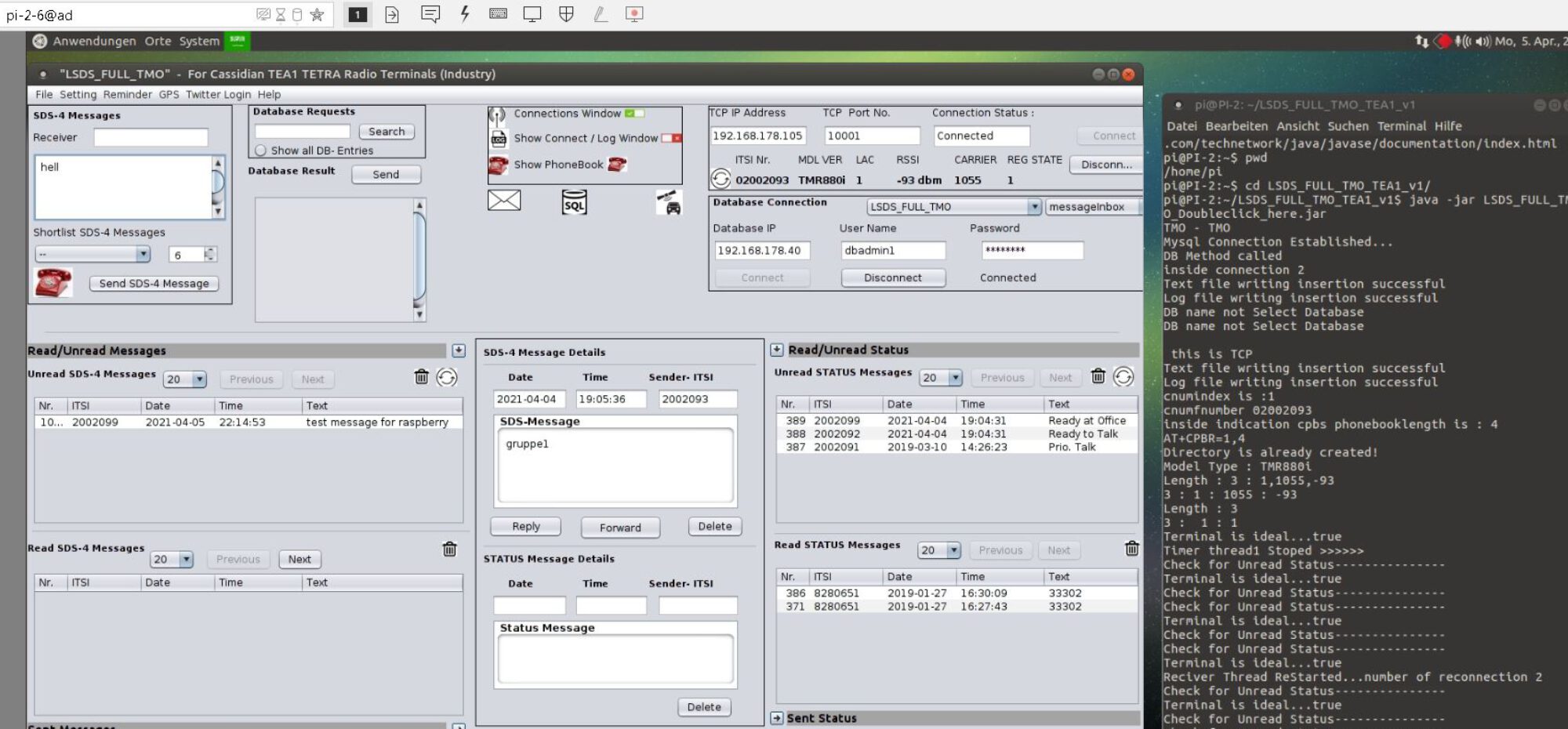
For this Service there is no need to install a Database. The Database in this case was realized by “Text Files on your Server Side Picture Application” The User can request the Information that were stored on your local Computer. Add or change the Information in a second.
EADS/Cassidian/Airbus is the only one Company that meets an excellent AT Command Set combining Java MIDP Capabilities on their Tetra Radio Terminals with an ongoing quartely relasing software development for TUI TEA1 Radio Terminals.
This Application Code was tested and developed from scratch by my Company and Coders. It is a worldwide unique Communication Application that can be used without Internet or Cloud
Run this Picture over the Air Application with EADS/Cassidian THR880i, TH1N, TMR880i, THR9, THR9i orTH9 Radio Terminal Series
Or use our Application as an “Automatic Answering System” that answers you automatically – your requested Information by an Standard Text Messages in less then 3 seconds. This Feature is implemented in all our Versions.
PIC4TETRA includes the Server and the Client Application. The Client Application is a Java APP running on the Cassidian Tetra Radio Terminal.
The Receiver Java Applications runs without Licensing. Just Install and Run. Only the Server Application needs Licensing.
Versions:
- a) PIC4DMO via 140 SDS-4 Characters with own developed Error Mechanism
- b) PIC4TMO – via concatenated SDS-4 Text Messages
- c) PIC4IP ( needs TETRA over IP configured your side inside the Tetra Infrastructure )
Features:*
- Server Application can send a Picture to an ISSI
- Server Application can send a Picture to an GSSI
- Server Application can send a Text Information to an ISSI – superfast
- Server Application can send a Text Information to an GSSI – superfast
- Client Application can request a Picture from the Server-ISSI by itself
- Client Application can request a Text Information from the Server-ISSI by itself
- Client PIC Application has a menue Item to choose the Picture Server that means the Picture Server ISSI. So you can choose another Picture Server / Application inside the Receiver Java Application
- If both Picture as well as Text Information is found of course Text Information is sent with the Picture.
*Server: This means the PC Application. *Client = Cassidian Tetra Radio Terminal. Means this Radio Terminal is reachable over the Air using DMO or TMO Mode.
The received Picture is saved permanent inside the Cassidian Radio Terminal Memory.
We built Error Re-Send Mechanism in case the SDS-4 Text Message does not receive the Client- Radio Terminal ISSI over DMO or TMO.
The Server Application connects to the Server-ISSI by TCP-IP Address. A Localhost Address as like 127.0.0.1 TCP Port 12345 or a LAN-IP Address can be used, too. The Server Application is an isolated System that does not need Internet to operate.
Picture Server PC – Application version: 3 is recommended Version ´because instead of using a database (PIC4TETRA v.2 ) just use the /Picture Folder in order to exchange Infos as a Txt JPG ISSI Server that can be requested from outside Users over the Tetra Air
Or ask about v2 Version where your Picture and Txt File Source in a Database instead of your own PC Folder compared to v3,
- v3: The Pictures or Text Informations that are sent are saved on the Application Folder
- v2: The Pictures or Text Informations that are sent are saved on the inside a Database
Optional Services:
- buy one respectively preconfigured Server Cassidian Terminal Application(s) – Remember the Radio Terminal does not need a License – just run it.
Install the Picture Applet via the Content Manager Tool
Run it on a CMD -> go inside the installed Folder -> javaw -DTETRAPCTOOLKIT_HOME=”C:\CM” -jar “TETRA Terminal Content Manager.jar” using your local or virtual COM Port. And copy it to Folder 0-9
Afterwards create a longpress 0-9 Button in order to directly open the Java Application in a second.
- – Send your Cassidian Tetra Devices and let us pre configure your Device for immediate Use of the Picture Application
- buy Installation Support for Installation of the Application within your Organization
Hardware:
- use one Cassidian TEA1 Cassidian Tetra Radio Terminals with pre-installed Picture Java App for DMO or TMO
- use one Cassidian TEA2 Cassidian Tetra Radio Terminals with pre-installed Picture Java App for DMO or TMO
- use one Cassidian TEA3 Cassidian Tetra Radio Terminals with pre-installed Picture Java App for DMO or TMO
- use one Perle IOLAN Serial to IP Converter with pre-configured TCP/IP Settings
- use a preconfigured Windows PC with a preconfigured Picture Server Application
- Increase your DMO Coverage by using a CM-5000 DMO-Repeater
Details: v2 DEMO / v3 Version works similar
Demonstration of Picture Server Application v3:


Picture Receiver Java App : here PIC4TMOv3
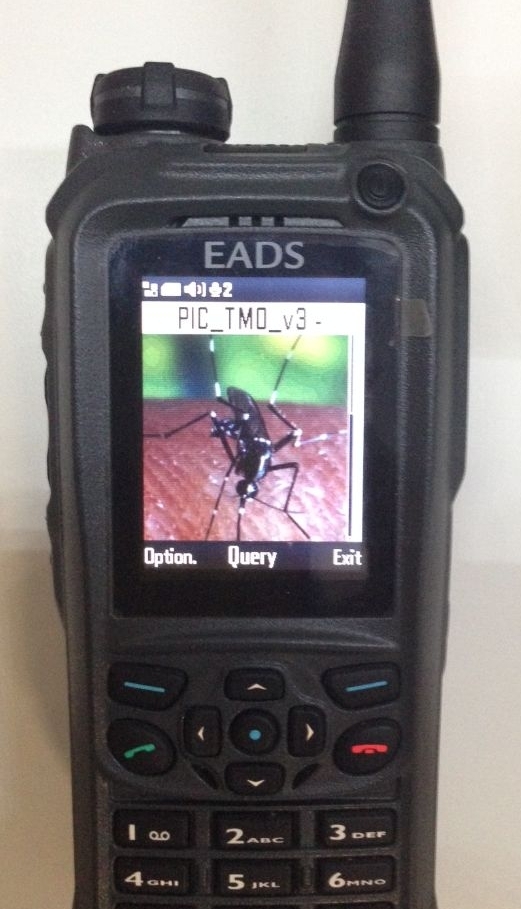
What is this Query Menu is about ?
- Here you can ask about an Database Entry
What is about this MIDP Java Menu -> Option Item ?
- Here you can set a Server. For this Picture Application the Server is an ISSI Number
Minimal Setup : ( Software only)
“Picture over the Air” Sender Package:
1x Java Picture Server Application ( already activated License)
“Picture over the Air Receiver “ ( per DMO or TMO)
- 1x Picture Client Application ( Java Midlet) – for Cassidian Tetra Radio Terminals only
Requirements: One Cassidian Radio Terminal as a Sender. At least one or better many Cassidian Radio Terminal working as “over the Air” Receivers
Starter Bundle: ( Software plus Hardware )
2x Java Picture Picture Server Application ( the other Server Application is used as a cold Standby )
- 1x THR9 ( Sender )
- 1x Windows or Linux PC with DLR-3P Datenkabel
- 1x THR9 ( Receiver)